
Commercial
Private-sector organizations
Standard Microsoft 365 tenants for enterprises and nonprofits.
Cloud meets
SOC 2ISO 27001
*.sharepoint.com
We build SharePoint Online portals, SPFx web parts and Power Platform apps for agencies and enterprises. Staff find the policy, the form or the person in a few clicks, and the paperwork runs itself.
 Microsoft 365
 SharePoint
 Teams
 Power Platform
 Power Apps
 Power Automate
 Power BI
WHERE WE BUILD
Many vendors avoid the government clouds. We have delivered in all three.
Private-sector organizations
Standard Microsoft 365 tenants for enterprises and nonprofits.
Cloud meets
*.sharepoint.com
State, local and tribal agencies
Government Community Cloud, with data kept in US datacenters and screened staff.
Cloud meets
*.sharepoint.com
Federal agencies and defense contractors
A separate sovereign cloud for CUI and export-controlled data.
Cloud meets
*.sharepoint.us
Same SharePoint, Teams and Power Platform builds, configured for each cloud's rules.
Microsoft 365SharePointTeamsPower PlatformPower AppsPower AutomatePower BIHOME PAGES
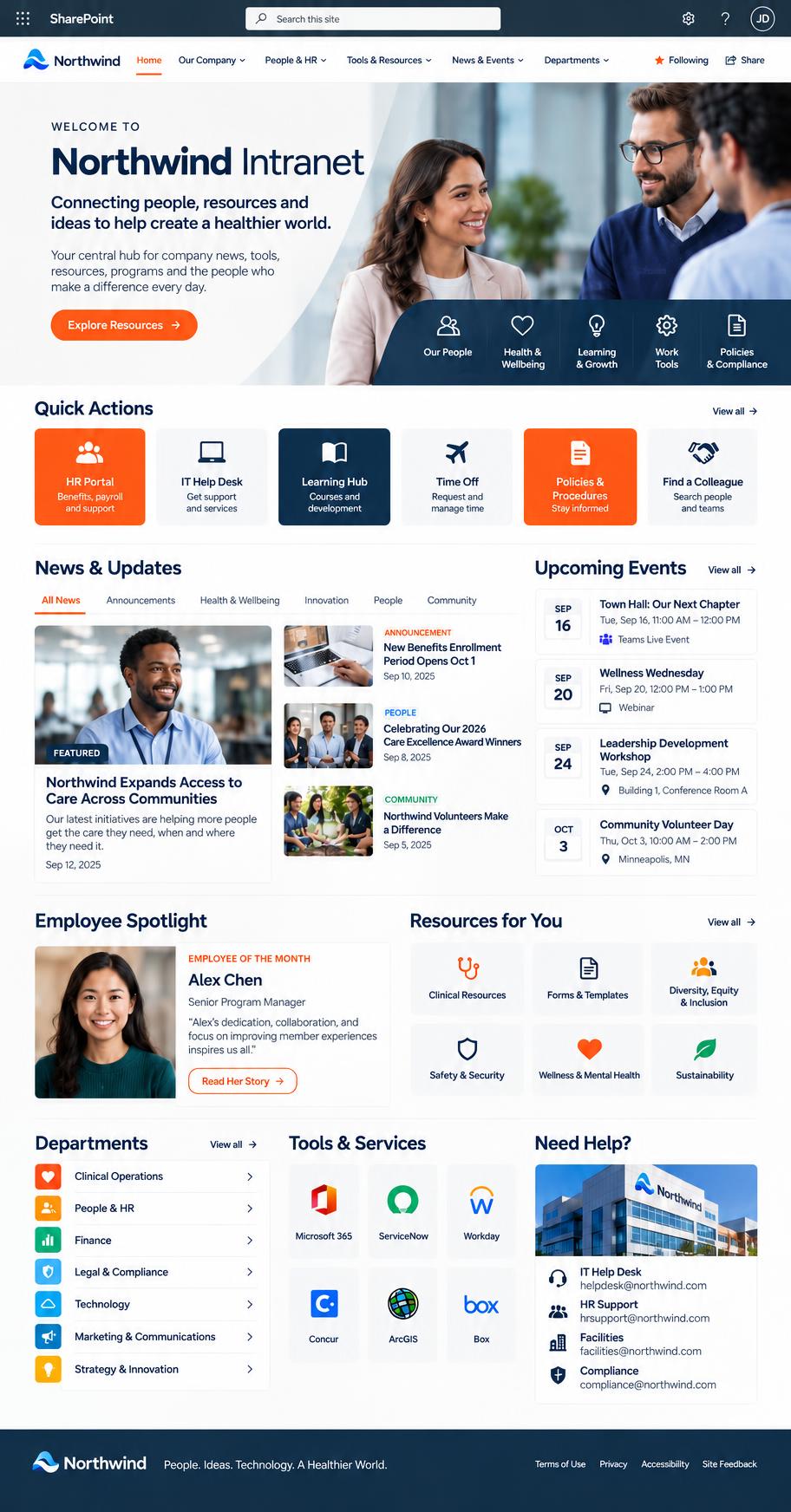
Healthcare, dental, state government, manufacturing and marketing teams. Each one gets its own brand, and every one opens to the news, tools and links people need that day. Click any screen to see it full size.
Quick actions, news and an employee spotlight above the fold.
Built for providers: enrollment, credentialing and training first.
A playful brand that still puts handbooks and time-off one click away.
Purchasing, HR and IT services for every agency in one search box.
Product data and safety resources for office and field staff.
Brand files, templates and a request form that replace the inbox.
Training dates, benefits and everyday tools on one page.
NAVIGATION
One menu across all your sites, edited by your team without code.
Six groups and one featured item, on every connected site.
Policies, people and programs, plus the links people use every day.
Every form in one place, always the latest version.
CUSTOM SPFX SOLUTIONS
Requests move through each approver, and everyone can see where they stand.
IT and app owners approve each step. Rejections go back with a reason.
Rep review, manager review, check sent. Each step is dated and signed off.
A checklist stops a contract from moving on until the paperwork is complete.
Payers, locations and renewal dates in one record, with the files attached.
Permits, contracts and cases you can search, filter and act on, with no extra software to buy.
Status, expiry date and owner for every permit. Expired ones are flagged.
Send signature requests and reminders right from the row.
Department KPIs come from a list and display as cards or a carousel.
Carousels, recognition, certificates and directories, set up from the page settings.
Autoplay, timing and side links are all set from the page.
Send thanks by type or department. Admins manage the categories.
HTML templates that fill in the name, reason and date.
Browse by department, division and section, from your HR data.
INFORMATION ARCHITECTURE
We map every hub, site and library first, so your portal stays organized as it grows.
Every site, sub-site and library, color-coded by type.
What visitors see, kept apart from the team's working space.
Standards, templates and solution designs, sorted by business area.
Calendars, roadmaps and project tracking, each with a clear owner.
SharePoint and Confluence spaces mapped before the move.
23 content types inherit one base, so new tags reach every document.
HOW WE DELIVER
Interview staff, review the current sites and find what people search for most.
Hub sites, navigation and content types that match how teams actually work.
Branded pages and SPFx web parts in Fluent UI. They look like Microsoft and meet WCAG.
Power Apps and Power Automate replace email threads and paper forms.
Owner guides and a handover session, so pages stay current after launch.
We've built portals, forms, dashboards and workflows on it. Tell us what you need yours to do.